Access link
If the information that is being translated is in a clickable element, a button written Acessar Link (Access Link) will appear. By pressing, it will reproduce the same functionality of this element.
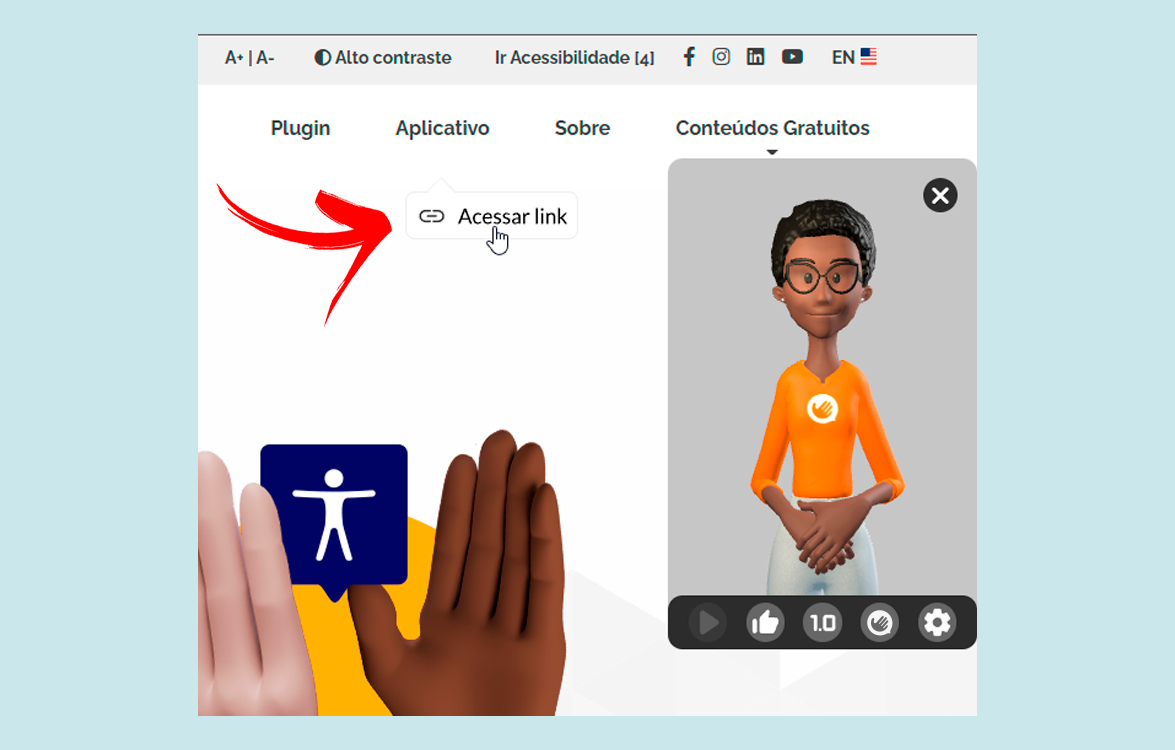
The elements that will be automatically detected by the Website Translator are all with <a> or <button> HTML tags.
In case your website has an element that is not being detected automatically as clickable, you may use the parameter clickables putting a list of elements. These elements can be identified such as classes, ids, or HTML tags. However, they must be inserted inside brackets, between quotation marks, and separated by commas.
clickables: ["#button", ".btn", "nav"]
In this example, the element with id button, the elements with the class btn, and the nav HTML tags will now be treated as clickables elements by the website Translator.
Depending on the language and/or programming logic applied to the website development, to allow the full functioning or to upgrade the results given by the service, you may need to do some customizations in the Hand Talk's installation that need to be done by the customer.