Customizing mobile button
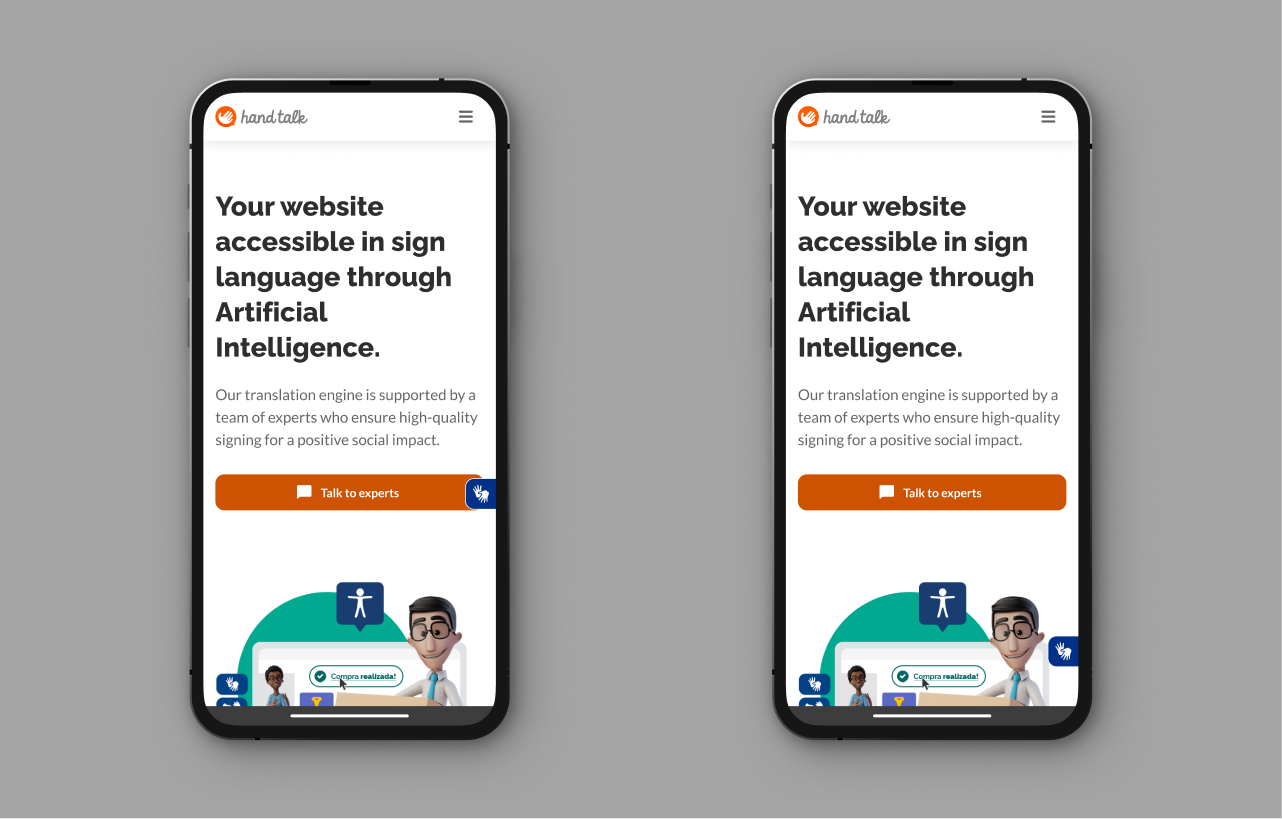
You can use the parameter customButtonStyle to apply customization to the accessibility button in the mobile version.
Note
When the parameter customButtonStyle is defined, the animations of the accessibility button will be deactivated.
When you call HT, in the parameter mobileConfig, define the object customButtonStyle as well. Check the quoted examples.
The object customButtonStyle allows the parameters:
| Configurations | Description | Value | Default |
|---|---|---|---|
| size | Size of the button, the value will be applied in the height and the width. | string | undefined |
| borderRadius | Level of accessibility button's roundness. | string | undefined |
| horizontalMargin | The margin between the plugin and the side of the screen. | string | undefined |
| bottomMargin | The margin between the button and the bottom of the screen. | string | undefined |
Note
For all cases, specify the unity of measure, as: em, %, px, vh, vw.
You can define only the parameter you want to apply. With the quoted example, just the rounded border will be applied to the button. The others parameters will stay as default.
Example of customization of the mobile accessibility button
Javascript
var ht = new HT({
  // Change it to your access token
  token: 'TOKEN',
  // Apply one customization to the accessibility button
  mobileConfig: {
    customButtonStyle: {
      borderRadius: '6px',
      bottomMargin: '60px',
      horizontalMargin: '4.4vw',
      size: '40px'
    }
  }
});
HTML
<body>
  <!-- Takes the latest version of the Hand Talk Plugin. -->
  <script src="https://plugin.handtalk.me/web/latest/handtalk.min.js"></script>
  <script>
  var ht = new HT({
    // Change it to your access token
    token: "TOKEN",
    mobileConfig: {
      // Apply one customization to the accessibility button
      customButtonStyle: {
        borderRadius: '6px',
        bottomMargin: '60px',
        horizontalMargin: '4.4vw',
        size: '40px'
      }
    }
  });
  </script>
</body>
Accessibility button customization parameter example
Javascript
var ht = new HT({
  // Change it to your access token
  token: 'TOKEN',
  // Sets a specific configuration for the mobile version
  mobileConfig: {
    // Apply a customization to the accessibility button
    customButtonStyle: {
      borderRadius: '6px'
    }
  }
});
HTML
<body>
  <!-- Takes the latest version of the Hand Talk Plugin -->
  <script src="https://plugin.handtalk.me/web/latest/handtalk.min.js"></script>
  <script>
  var ht = new HT({
    // Change it to your access token
    token: "TOKEN",
    mobileConfig: {
      // Apply a customization to the accessibility button
      customButtonStyle: {
        borderRadius: '6px'
      }
    }
  });
  </script>
</body>